
Student guide
完成条件
5. Using the forum
There are different types of forums in a course space. Depending on their location and the preferences set by the course coordinator, they can serve various functions.
Types of Forums
At the Beginning of the Course
Present in every course, this forum is intended for asking questions about the course to the course coordinator.
In the Sections
These are specific to a theme and/or activity. They allow you to share ideas, ask questions, or collaborate on projects.
How to Add a New Discussion Topic on a Forum
- Open the forum by clicking on it.
- Add a discussion topic.
- Enter a title for your message, write your text in the designated area, and format it using the text editor.
- Post your message.
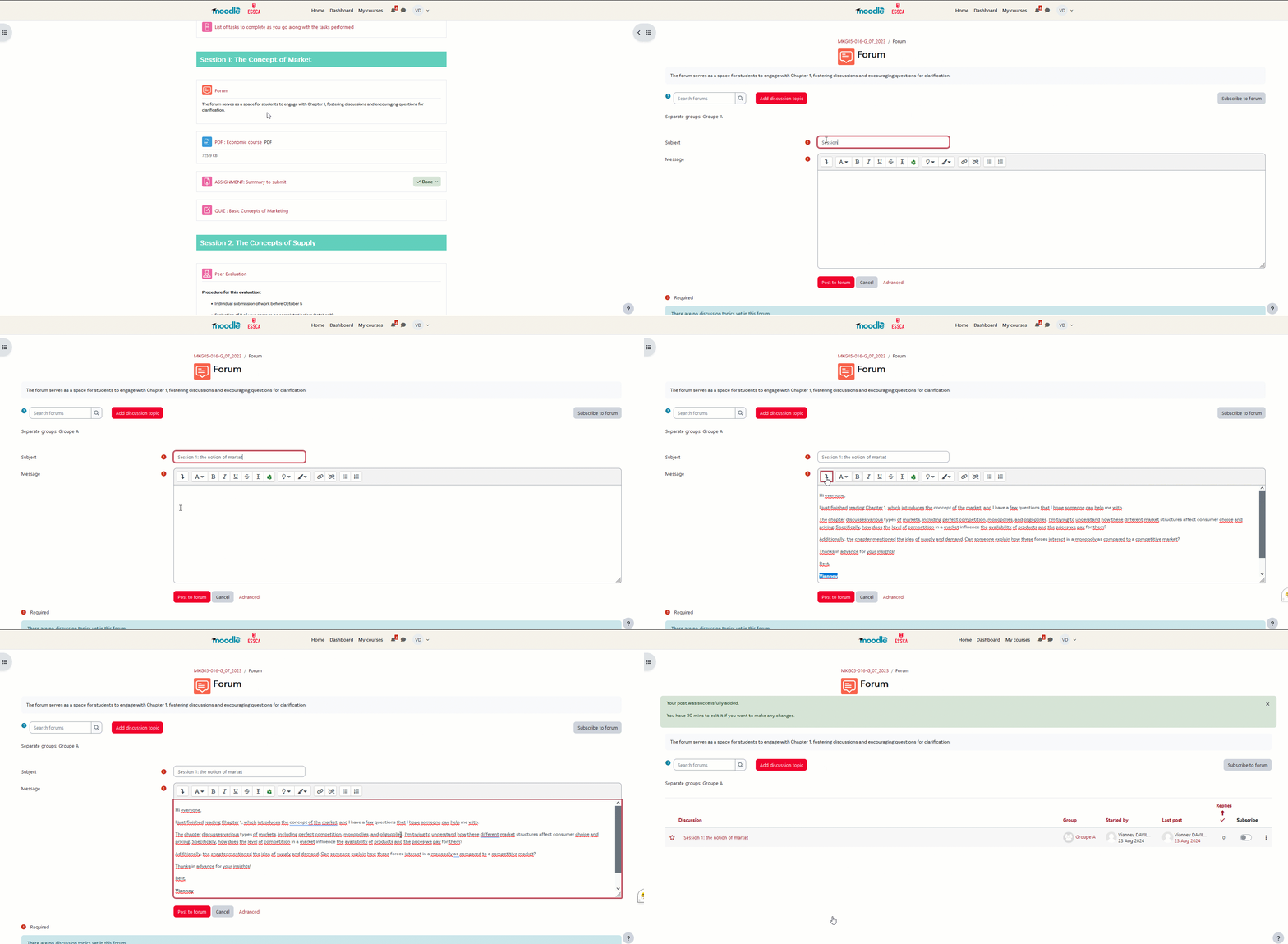
To add a reply to a discussion topic, click "Reply" on the discussion thread that interests you, write your response, and post it.

Have you spotted an error in your text?
You have 30 minutes to modify or delete it.